Inside RemoteBrowser: Technical Architecture Explained
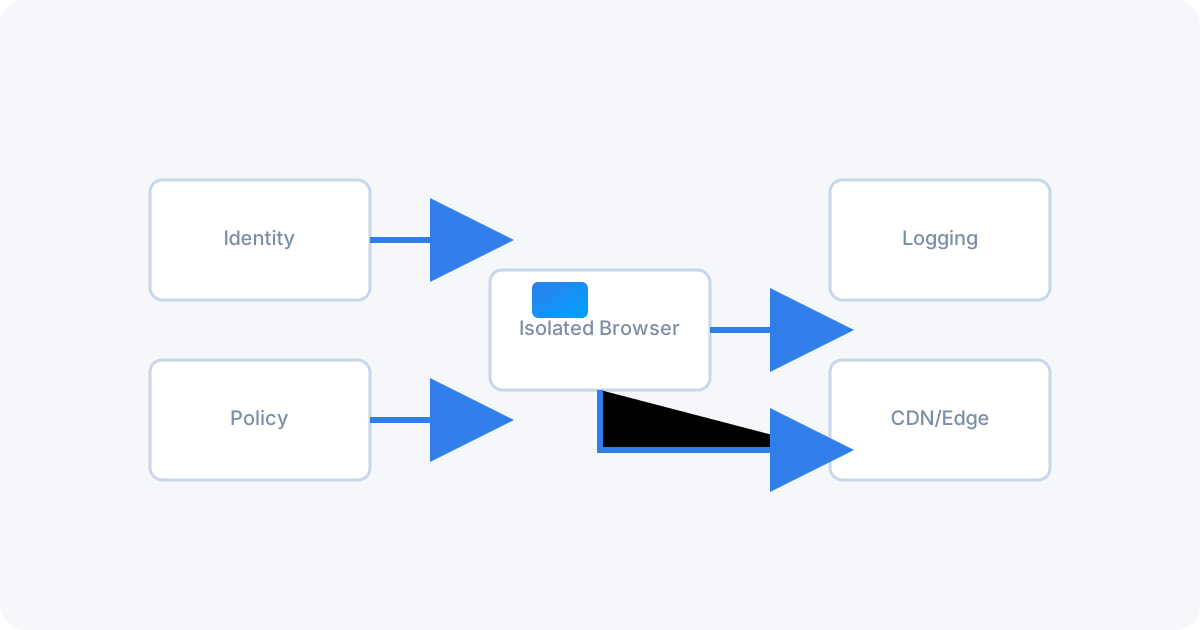
Remote browsers execute web sessions away from the endpoint and stream back only a safe, visual representation. This replaces “detect and block” with “don’t execute here.” Below is a practical look at the components, data paths, and trade‑offs that make this possible.
“No active web code on endpoints. Ever. That single constraint drives the entire design.”
High‑Level Request Flow
- Route: A link open is routed to the isolation service (agent, PAC/proxy, or extension).
- Provision: An ephemeral browser container is created and attached to a policy context.
- Execute: The target page loads and runs in the container’s sandbox.
- Render/Stream: The session is encoded and streamed to the user; inputs are relayed back.
- Enforce: Policies gate downloads, clipboard, credential posting, uploads, and printing.
- Dispose: On exit/timeout, the container is destroyed—no persistence.
Core Components
Isolated Browser Containers
Hardened images (namespace/cgroup isolation, seccomp/AppArmor) with disabled persistence. Each session receives a fresh container to block cross‑session contamination.
Session Orchestrator
Schedules containers across nodes, maintains warm pools, enforces quotas, and tags sessions with policy and identity context for auditability.
Streaming Gateway
Encodes the visual output (H.264/AV1/VP9) with GPU acceleration and transports it over secure WebRTC/WebSockets with congestion control and QoS tuning.
Policy Engine
Applies rules for URL categories, file types, clipboard, form posts, and credential domains. Integrates with SSO/IdP to tailor controls per user/group/risk.
Rendering Models
- Pixel Streaming (default): Only images/video frames are delivered. Highest security, universal compatibility.
- DOM Reconstruction (optional): Sanitized DOM mirrored to the client for lighter bandwidth; used for trusted apps with strict policies.
- File Mediation: Downloads are sanitized, converted (e.g., PDF), or quarantined; uploads can be blocked, redacted, or watermarked.
Defense‑in‑Depth
- Network isolation: Dedicated VPC/subnets and egress allowlists.
- Container isolation: Per‑session sandbox; no shared profiles or caches.
- Process sandboxing: Browser flags, site isolation, and OS hardening.
- Data isolation: No persistent storage; secrets via short‑lived tokens.
- Protocol isolation: One‑way visual stream; clipboard and device APIs gated.
Performance & UX
- Edge POPs: Place gateways near users to minimize RTT.
- Adaptive bitrate: Dynamic resolution/framerate for smooth interaction.
- Warm pools: Pre‑started containers cut first‑paint latency.
- Hardware encoding: NVENC/VA‑API/AMF for low CPU and low latency.
- Clipboard & printing: Brokered through the policy layer with logging.
Deployment Models
SaaS
Fastest rollout, global scale, managed updates. Ideal for distributed teams.
On‑Prem
Data locality and custom egress controls for regulated environments.
Hybrid
Use SaaS for general web, on‑prem for sensitive apps or private egress.
Telemetry & Compliance
- Structured logs: sites visited, categories, blocked actions, file events.
- Session metadata: user, device posture, location, policy version.
- SIEM export via webhooks or syslog; dashboards for threat and adoption trends.
Make the Browser Zero‑Trust
Run web code remotely, stream pixels, and control data movement with policy.

 All system normal